How to zoom in on a clip in DaVinci Resolve
To zoom in on a clip in DaVinci Resolve, select it, open the Inspector and raise Zoom under Transform. For a zoom that moves, set a keyframe on Zoom at the start and another later, or switch on Dynamic Zoom. A plugin like Neo Zoom Pro does it with no keyframes.
By Victor Grubbe. Updated
Motion Essentials 2.0 Tutorial
How do you zoom in with keyframes in DaVinci Resolve?
- 1
Select the clip on the Edit page and open the Inspector.
- 2
Put the playhead where the zoom should start. Under Transform, click the keyframe diamond next to Zoom.
- 3
Move the playhead to where the zoom should end and raise Zoom. Use Position to keep the face in frame.
- 4
To soften the move, open the clip's keyframes on the timeline, right-click a keyframe and pick an ease.
What is Dynamic Zoom in DaVinci Resolve?
Dynamic Zoom is a switch in the Inspector that moves the clip from one framing to another, with no keyframes.
- 1
Select the clip and switch on Dynamic Zoom in the Inspector. Pick an ease.
- 2
In the menu at the bottom left of the viewer, pick Dynamic Zoom. The green box is the start framing and the red box is the end.
- 3
Drag the two boxes to set the move.
Dynamic Zoom always runs across the whole clip. For a quick punch-in on one sentence, you have to cut the clip first.
How do you add a punch-in zoom without keyframes?
Neo Zoom Pro is a punch-in zoom made for talking heads and screen recordings.
- 1
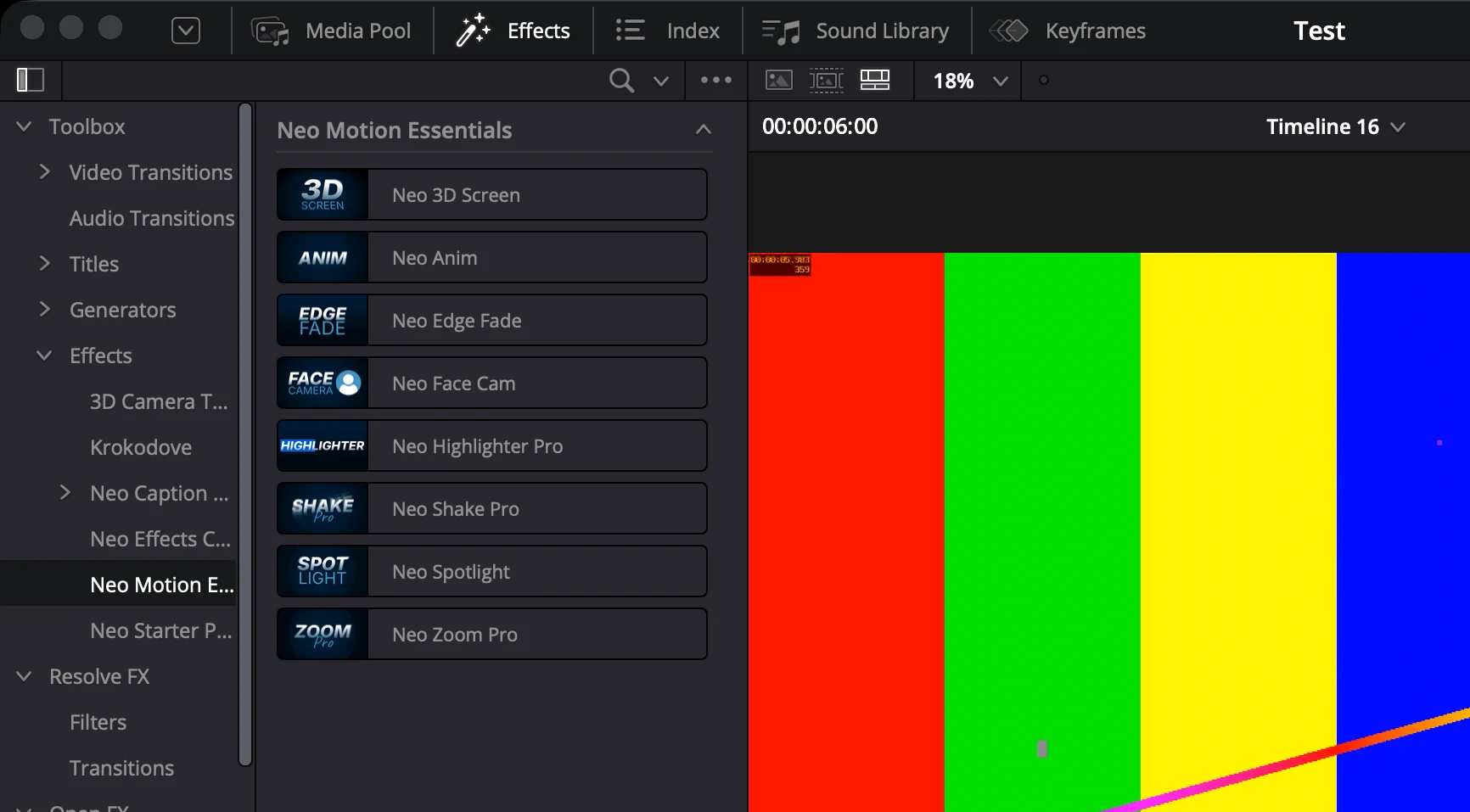
Open the Effects panel, go to Effects and open the Neo Motion Essentials folder.
- 2
Drag Neo Zoom Pro onto the clip.
- 3
Set Start and End: how far it zooms, the point it zooms toward, and the angle.
- 4
Set Animation Length in frames. Timing set to Whole Clip gives one slow push for as long as the clip lasts.
Neo Zoom Pro is also in Generators. Put it on a track above and it zooms everything below it, and Continue From Previous chains zooms across cuts.
How much should you zoom in on a talking head?
A face reads well at a zoom of 1.2 to 1.4. Keep the move calm: at 60 frames or longer it reads as a push, while a very short one reads as a jolt. Use the short ones on purpose, on a word that should hit.
How do you add camera shake in DaVinci Resolve?
DaVinci Resolve has a Camera Shake effect in the Effects panel. Drag it onto a clip and set how much it moves.
Neo Shake Pro, in the same pack as Neo Zoom Pro, has 13 shakes to pick from and one Overall Strength control. It can also add a hit at the playhead or on every marker, for impact on a beat.
Which zoom should you use?
| Way | Keyframes | Zooms part of a clip | Zooms across cuts |
|---|---|---|---|
| Zoom with keyframes | Yes, by hand | Yes | No, one clip at a time |
| Dynamic Zoom | No | No, the whole clip | No |
| Neo Zoom Pro | No | Yes | Yes, as a generator on a track above |
Is there a free zoom plugin for DaVinci Resolve?
Yes. Zoom keyframes and Dynamic Zoom are part of DaVinci Resolve. Neo Zoom Lite is a simple, free zoom, and as a generator it zooms everything below it. It is in the free Starter Pack.
Questions
- Does zooming in lower the quality in DaVinci Resolve?
- A zoom enlarges the picture, so a clip filmed at the timeline's resolution gets a little softer the further you zoom. A clip filmed at a higher resolution than the timeline has room to zoom without getting soft.
- Does Neo Zoom Pro work in the free DaVinci Resolve?
- Yes. The Motion Essentials Pack works in both the free DaVinci Resolve and Studio, version 20 and up.
- Can I zoom several clips at once?
- Yes. Put Neo Zoom Pro on a track above as a generator and it zooms everything below it.